
T3 Code Review 2026: Does T3 Code Have Cloud Agents?
I tested T3 Code v0.0.45 and compared it with Cloudroom. T3 Code is free, MIT-licensed, and has no hosted cloud agents.
T3 Code is a free, MIT-licensed app from the T3 team that controls Claude Code, Codex, Cursor, Grok, OpenCode and Antigravity from one window. I tested T3 Code v0.0.45 on an Apple silicon Mac. It does not host cloud agents. Every agent runs on a machine you provide, such as your Mac, your own server or a Docker sandbox. Cloudroom runs 9 harnesses on your Mac, including Claude Code, Codex, Cursor, Pi, Hermes and Devin. It also hosts a cloud sandbox for each Claude Code, Codex or Pi Agent thread, and that thread keeps running when your laptop is closed. Pick T3 Code if you use Windows or want Antigravity. Pick Cloudroom if you want more harnesses locally and hosted cloud agents without running a server. T3 Code is open to everyone now. Cloudroom has a waitlist.
TL;DR
- T3 Code is free, MIT-licensed and public today, with 6 providers.
- T3 Code does not host cloud agents. T3 Connect only links your devices to a machine you run.
- In my test, agents could not see T3 Code's panels or start threads, and I could not open subagents.
- Cloudroom gives each Cloud thread its own hosted sandbox and Git branch, and agents can start child threads.
- Cloudroom runs 9 harnesses locally and 3 in the cloud, and has a waitlist.
Does T3 Code have cloud agents?
No. T3 Code does not host cloud agents. T3 Code's docs say agents run on the machine that hosts the T3 Code server, even when you connect through the web app or T3 Connect. T3 Connect is an account plus a tunnel. You sign in under Settings, enable T3 Connect for a machine, and other devices reach that machine. The machine must stay running and reachable while you work.
I signed up to get access to cloud agents. I only got an account. Nothing in the signup or the app told me where the agents were. The onboarding showed a "link a device" step. I did not understand what it did or why it was in onboarding. T3 Code's docs later told me it is the "Connect your computers" step, which links your machines through T3 Connect or a pairing link.
To run T3 Code agents off your laptop, you provide the machine. The docs list 4 ways:
- SSH from the desktop app. Add an SSH host under Settings > Connections. T3 Code installs its server there. The host must be Linux or an Apple silicon Mac, and you install and log in to Claude Code or Codex on it yourself.
- The
t3CLI on a server. Runt3 serve, thent3 connectort3 pair. - Docker Sandboxes, which has a T3 Code integration.
- OpenRouter Spawn, which deploys T3 Code to a cloud server.
In all 4 cases you rent, set up and keep the machine running.
What does T3 Code do well?
T3 Code is free, MIT-licensed and open to everyone today, and 25,846 developers have starred it on GitHub. You can fork the whole app.
Setup was fast. T3 Code found the Claude Code and Codex logins already on my Mac, so I did not sign in again. The provider list shows each CLI's version and the subscription it is signed in with, such as ChatGPT Pro 5x or Claude Max.
The settings page is very customizable. There are a lot of options, but it did not feel bloated to me. Someone less technical may find it a lot to take in.
Creating a folder for a project uses a clean picker that looks like a terminal. I like it much more than a Finder window. T3 Code also has iOS and Android apps, plus Windows and Linux desktop apps.
What went wrong when I set up T3 Code?
The app opened straight into the main view. Only Claude Code and Codex were visible. Cursor, OpenCode, Hermes, Devin, pi, and fx were installed on the Mac but did not show. The UI gave no clear way to add them. Providers can be added in Settings, but I had to find that myself.
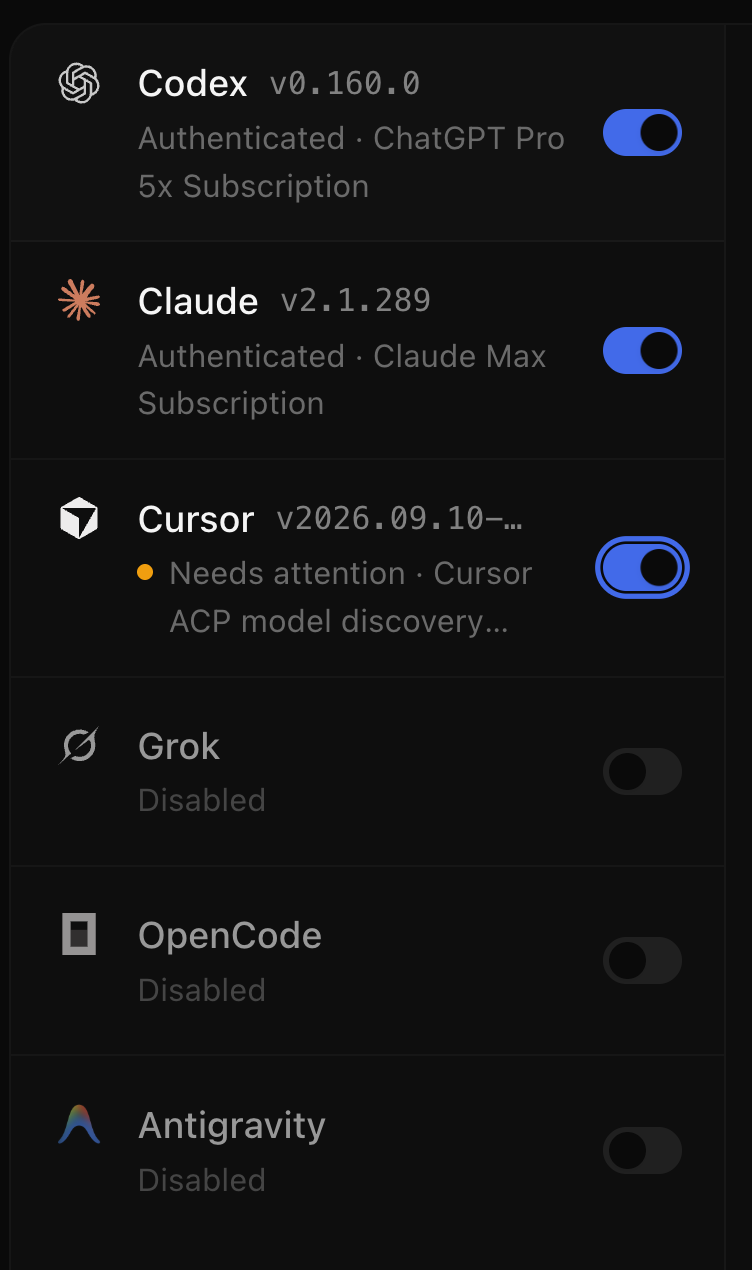
When I turned Cursor on in Settings, it showed "Needs attention · Cursor ACP model discovery...". Opening Cursor showed no error and no fix. It showed only an "Early Access" badge, the version and my Cursor Ultra subscription.
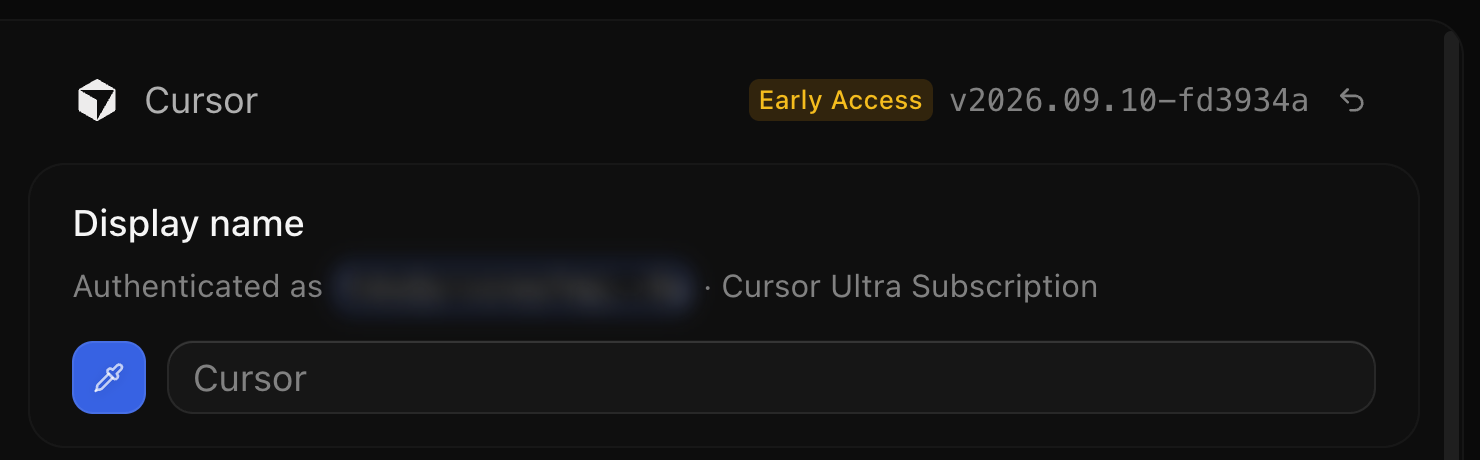
Cursor ACP is known to be flaky, so this is not fully T3 Code's fault. Still, Cursor usually works right after sign-in, so a warning with no explanation should not appear.
T3 Code v0.0.45 does not support pi, fx, omp, Hermes or Devin. T3 Code's docs on the main branch already describe Pi support, so Pi should arrive in a later release. Cloudroom runs pi, fx, Hermes and Devin on local threads. T3 Code has Antigravity in the list instead. I do not know any serious developer who uses Antigravity, and I think Gemini models are weak.
What did the T3 Code interface feel like?
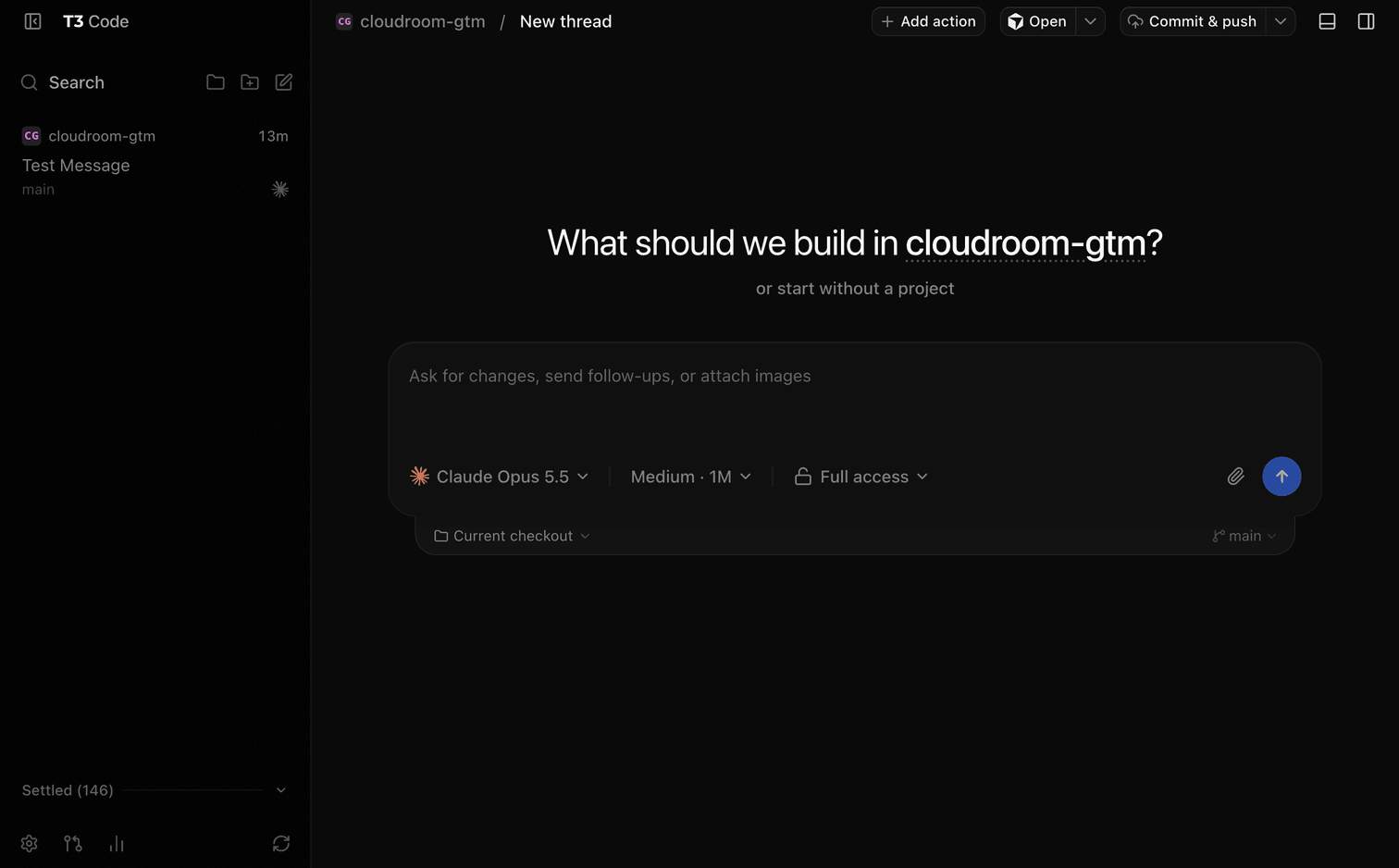
My first reaction to the main view was that there are a lot of buttons and bars. The top bar has Add action, Open, Commit & push and 2 panel toggles. The left sidebar has 4 buttons at the top and 4 at the bottom. The composer has 5 pickers.
The right sidebar, "Open a surface", lists 8 panels with a letter shortcut next to each. None of the shortcuts worked for me. I tried the plain letter, Shift plus the letter and Cmd plus the letter, with focus outside the message box. Nothing explains how they are supposed to work.
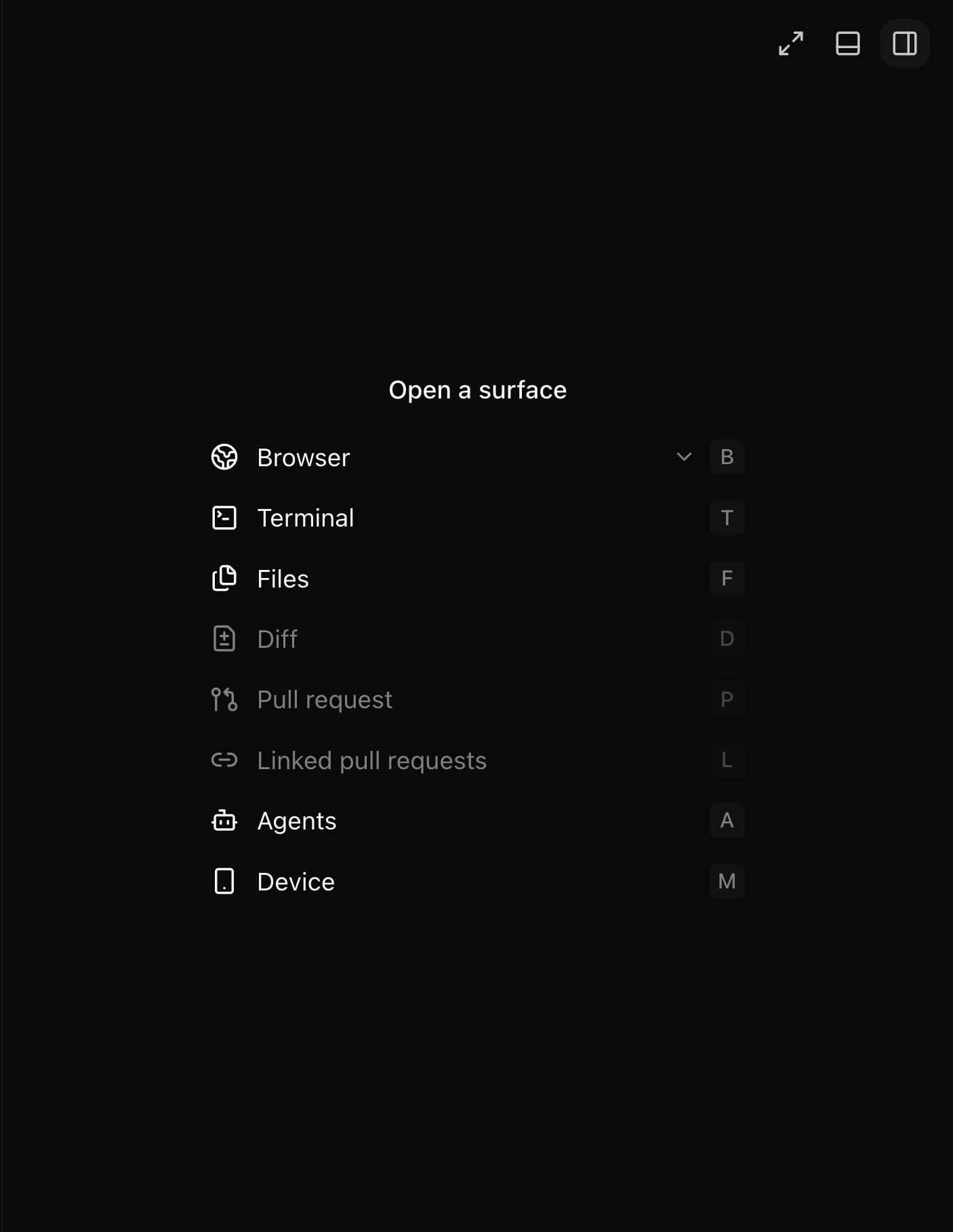
The right sidebar has a lot of features. It feels like an app built to suit everyone, without strong opinions of its own. The Terminal even has split panes, like Ghostty. Ghostty is a full product of its own, and I do not see why an agent app should rebuild it.
Do T3 Code agents know where they are running?
No. In my test, the agent did not know it was running inside T3 Code. It did not know about the terminals or the other panels. It found them only after I told it to look and guided it there.
T3 Code v0.0.45 also gives agents no CLI or tool to control T3 Code. When my agent needed to start 2 other threads, it had to write its own client for T3 Code. The t3 CLI that T3 Code offers runs and pairs servers. It does not start or message threads.
Cloudroom tells each agent where it runs and gives it a CLI to start child threads. Each child thread shows under its parent, and you can open it like any other thread.
cloudroom thread spawn --provider codex --title "License audit" \
  --prompt "List every dependency in the mobile app, its license, and any copyleft risk."
cloudroom thread output CHILD_ID
cloudroom thread tell CHILD_ID "Add a table with risky licenses."
What else did I run into in T3 Code?
New project puts the repo in ~/.t3/projects. All my other repos live somewhere else, and I do not like that. The other way is to create a folder yourself and run git init, or ask the agent to.

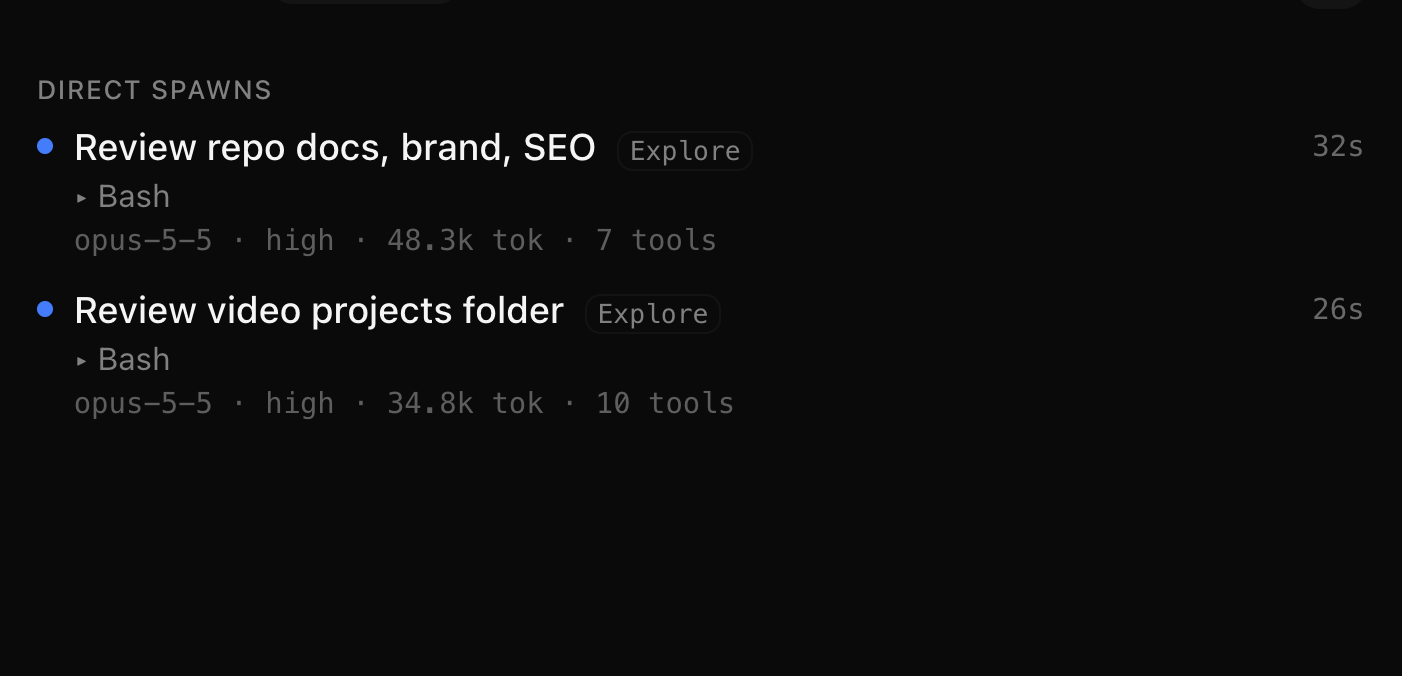
Subagents run in the background, and I could not open them. I used Claude Code with Opus 5.5. The list shows each subagent's title, its latest tool, the model, tokens and run time. It shows none of the actual work. The "2 agents working" bar above the composer has only a Stop button.
T3 Code also writes hidden Git refs into your repo, 1 per turn, under .git/refs/t3/checkpoints/. Each one is a commit that copies the whole working tree, including untracked files. In my repo that was 1,246 files, while Git tracks only 533. The refs do not show in git status or git branch.
The Mac app is still called "T3 Code (Alpha)", although the GitHub repo dates from February 2026.
How does T3 Code compare with Cloudroom?
Cloudroom runs more harnesses than T3 Code locally, and it also hosts cloud threads. The table uses T3 Code v0.0.45 docs and Cloudroom docs checked on 2026-10-06.
| Question | T3 Code | Cloudroom |
|---|---|---|
| Price | Free | Free and open source |
| License | MIT | Apache 2.0, for both the desktop app (GUI) and the Core |
| Hosting | You provide the machine. T3 Connect links your devices to it | Cloudroom hosts a sandbox for each Cloud thread, which runs with the laptop closed |
| Harnesses on your machine | 6: Codex, Claude Code, Cursor, Grok, OpenCode, Antigravity | 9: Claude Code, Codex, Pi Agent, Cursor, OpenCode, Grok, fx, Hermes, Devin |
| Harnesses in the cloud | None hosted | 3: Claude Code, Codex, Pi Agent |
| Platforms | macOS, Windows, Linux desktop, web, iOS, Android, CLI | Mac and Linux desktop app and hosted cloud sandboxes. No Windows app |
| Availability | Public, v0.0.45, labeled Alpha | Waitlist |
| Agent CLI | No CLI for agents to start threads in v0.0.45 | room-cli for controlling and spawning all agents |
| Subagents and child threads | Status list, cannot be opened | Child threads show under the parent and open like any thread |
| Where threads work | Your machine, current checkout or a worktree | Your machine (current checkout or a worktree), or its own cloud sandbox and Git branch per Cloud thread |
When should you pick which?
Pick T3 Code if you use Windows, want Antigravity, or already run a server and are happy to maintain it. It is free, open to everyone without a waitlist, and you can fork it under MIT.
Pick Cloudroom if you want more harnesses on your Mac, or agents that run in a hosted cloud sandbox and keep working when your laptop is closed, without renting or maintaining a server. It runs 9 harnesses locally and Claude Code, Codex and Pi Agent in the cloud, all on your own subscriptions with no token markup. It copies your Codex login from your Mac to the cloud. The whole app is open source under Apache 2.0, the desktop app as well as the Core, so you can fork Cloudroom too. Cloudroom has real limits. To get in, you join the waitlist or ask a friend who already uses Cloudroom for an invite. The cloud supports 3 harnesses, and there is no Windows app.
The short version
T3 Code is a free, open control surface for 6 providers on machines you run. It gave me a fast setup, then many rough edges in v0.0.45, and it has no hosted cloud agents. Cloudroom runs more harnesses locally, hosts the cloud sandbox for you, and has a waitlist. I work on Cloudroom, so weigh that as you read.
You can join the Cloudroom waitlist, read how cloud coding agents compare or see how to keep Claude Code running with the laptop closed.
Disclosure: Matyas Stoch works on Cloudroom. Every T3 Code claim in this article comes from T3 Code's docs and GitHub, checked on 2026-10-06, or from my own testing of T3 Code v0.0.45.
A FEW DETAILS
Questions, answered.
Can T3 Code agents keep working when my laptop is closed?
Only if they run on another machine that stays on. T3 Code runs agents on the machine that hosts its server, so you need your own server, SSH host or Docker sandbox. T3 Connect then lets your laptop or phone reach that machine. Cloudroom runs each Cloud thread in a hosted sandbox that keeps working with the laptop closed.
Is T3 Code free?
Yes. T3 Code is free and MIT-licensed, and your agents use your own Claude, ChatGPT or other subscriptions. Its README answers "Wait, what are you selling me?" with "Nothing." Cloudroom is also free, and both its desktop app and its Core are fully open source under Apache 2.0.
Does T3 Code support Pi?
T3 Code v0.0.45 does not support Pi. T3 Code's docs on the main branch already describe Pi support, so it should come in a later release. Cloudroom supports Pi Agent today, on both Local and Cloud threads.
Can T3 Code agents start other T3 Code threads?
No. T3 Code v0.0.45 docs describe no CLI, API, or tool that lets an agent start or message T3 Code threads. In my test my agent wrote its own client to start 2 threads. Cloudroom gives agents a CLI to start child threads.